E2B vs Daytona vs Modal: AI Agent Sandboxes Compared (2026)

TL;DR
E2B vs Daytona vs Modal vs Vercel Sandbox vs Cloudflare for October 2026: isolation, pause and fork, GPUs, run limits, and per-hour rates from vendor docs.
Pick E2B to pause and fork a running agent with its memory, Daytona for GPUs or Windows, Modal for very large fleets, Vercel Sandbox for agents that mostly wait on a model, and Cloudflare if you already live in Workers. The October changes that move the decision: Modal made VM Sandboxes generally available on October 1, Cloudflare shipped Sandbox SDK 1.0 on September 30, Daytona's pause and fork went stable over the summer, and E2B now forks a running sandbox into up to 20 copies in one call.
Last updated: October 8, 2026
Every price and limit below was checked against the vendor's own pricing page, docs or changelog on October 8, 2026, and every source is listed at the end. Rates change often, so treat the numbers as a snapshot and click through before you sign anything.
What changed since the July version#
- Modal: VM Sandboxes are GA (October 1, 2026). Passing
runtime="vm"gives a sandbox its own Linux kernel instead of the default gVisor runtime, which unlocks Docker, FUSE mounts and nested cgroups. Modal says the runtime starts from the Rust-based Cloud Hypervisor project and keeps the same APIs, images and usage-based pricing as gVisor sandboxes (Modal blog). gVisor stays the default, and GPU sandboxes still require the gVisor runtime (Modal sandbox docs). - Cloudflare: Sandbox SDK 1.0 (September 30, 2026). Your own Durable Object class now starts, stops and snapshots each sandbox container through
this.ctx.container, and picks the image, instance size and network access per start. File snapshots are in public beta. The 0.x SDK gets bug and security fixes until December 31, 2026 (Cloudflare changelog). - Daytona: pause, auto-pause and fork. A first-class pause action shipped in 0.190.0 (June 23), auto-pause intervals in 0.197.0 (July 14), and forking plus snapshot creation graduated from experimental to stable in 0.202.0 (July 29) (Daytona changelog). All three apply to VM sandboxes only, not to the default container sandboxes (Daytona sandbox docs).
- E2B: one-call forking.
sandbox.fork({ count })snapshots a running sandbox with its filesystem and memory and boots up to 20 copies per call (E2B fork docs). Pro is still $150 a month plus usage, and Enterprise now lists a $3,000 a month minimum (E2B pricing). - Vercel Sandbox: forking and drives.
Sandbox.fork()creates a new sandbox from the source's latest saved snapshot (Vercel changelog), Drives (beta) add persistent mounted storage, and Pro concurrency is now 10,000 sandboxes (Vercel Sandbox pricing).
Comparison at a glance#
| E2B | Daytona | Modal | Vercel Sandbox | Cloudflare Sandboxes | |
|---|---|---|---|---|---|
| Isolation | Firecracker microVM, own kernel | Containers by default; Linux VM and Windows VM classes | gVisor by default; VM runtime GA | Firecracker microVM | microVM per container instance; Dynamic Workers for JS, Python, Wasm |
| Pause with memory | Yes, resume in about 1s | VM sandboxes only | Filesystem snapshots; memory snapshots are experimental and expire after 7 days | No; filesystem auto-saves on stop | No; filesystem snapshots (beta) |
| Fork | Up to 20 per call, with memory | VM sandboxes, with memory | Snapshot, then create | From latest saved snapshot | Snapshot, then start |
| Continuous run limit | 1h Hobby, 24h Pro | Auto-stop after 15 min idle by default; 0 runs indefinitely | 5 min default, 24h max | 45 min Hobby, 24h Pro per session | Up to 6h after the Durable Object goes idle |
| GPU | Not offered | Up to 8 GPUs, on-demand or spot | Yes, gVisor runtime only | Not offered | Not offered |
| SDKs | Python, TypeScript, CLI | Python, TypeScript, Ruby, Go, Java, CLI | Python, JavaScript/TypeScript, Go | TypeScript, Python, CLI | TypeScript in Workers |
| Entry plan | Free Hobby with $100 one-time credit; Pro $150/mo | Pay as you go, $200 free compute | Starter $0 with $30/mo credit; Team $250/mo | Free Hobby quotas; Pro uses the $20/mo credit | Workers Paid, $5/mo |
"Not offered" means the vendor's current sandbox docs and pricing page do not list it.
Pricing: what an hour actually costs#
List rates on October 8, 2026, normalized to vCPU-hours and GiB-hours. Vercel's rates are for its default iad1 region; Modal's are its sandbox rates, which are higher than its function rates.
| CPU | Memory | Billing note | 2 vCPU / 4 GiB, one busy hour | |
|---|---|---|---|---|
| E2B | $0.0504 per vCPU-hour | $0.0162 per GiB-hour | Per second of a running sandbox | $0.17 |
| Daytona | $0.0504 per vCPU-hour | $0.0162 per GiB-hour | Per second; first 5 GiB storage free | $0.17 |
| Modal | $0.1419 per physical core-hour (2 vCPU) | $0.0240 per GiB-hour | Billed on the higher of requested and used | $0.24 |
| Vercel Sandbox | $0.128 per active CPU-hour | $0.0212 per GB-hour | CPU waiting on I/O is not billed | $0.34 busy, $0.11 at 10% CPU |
| Cloudflare | $0.072 per active vCPU-hour | $0.009 per GiB-hour | Billed per 10ms; memory and disk on provisioned size | About $0.22 busy on standard-3 (2 vCPU, 8 GiB) |
Sources: E2B pricing, Daytona pricing, Modal pricing, Vercel Sandbox pricing, Cloudflare Containers pricing.
Three things the table hides:
- E2B and Daytona publish identical compute rates. The real difference is the plan around them: E2B's 24-hour sessions and 100 concurrent sandboxes need the $150 Pro plan, while Daytona is pay as you go.
- Idle CPU is where agent bills diverge. Vercel and Cloudflare bill only CPU your code actually uses. Vercel's own example: a 1 vCPU, 2 GB sandbox running for an hour at 10% CPU costs about $0.055 in CPU and memory, against $0.17 if the CPU were billed for the whole hour (Vercel Sandbox docs). If your agent spends most of its time waiting for the model, that gap is the whole bill.
- Plan fees and extras sit on top. Cloudflare adds Workers and Durable Objects charges, Vercel bills sandbox creations ($0.60 per million) and snapshot storage, and Modal multiplies prices by 1.15 to 1.75x for region selection.
E2B#
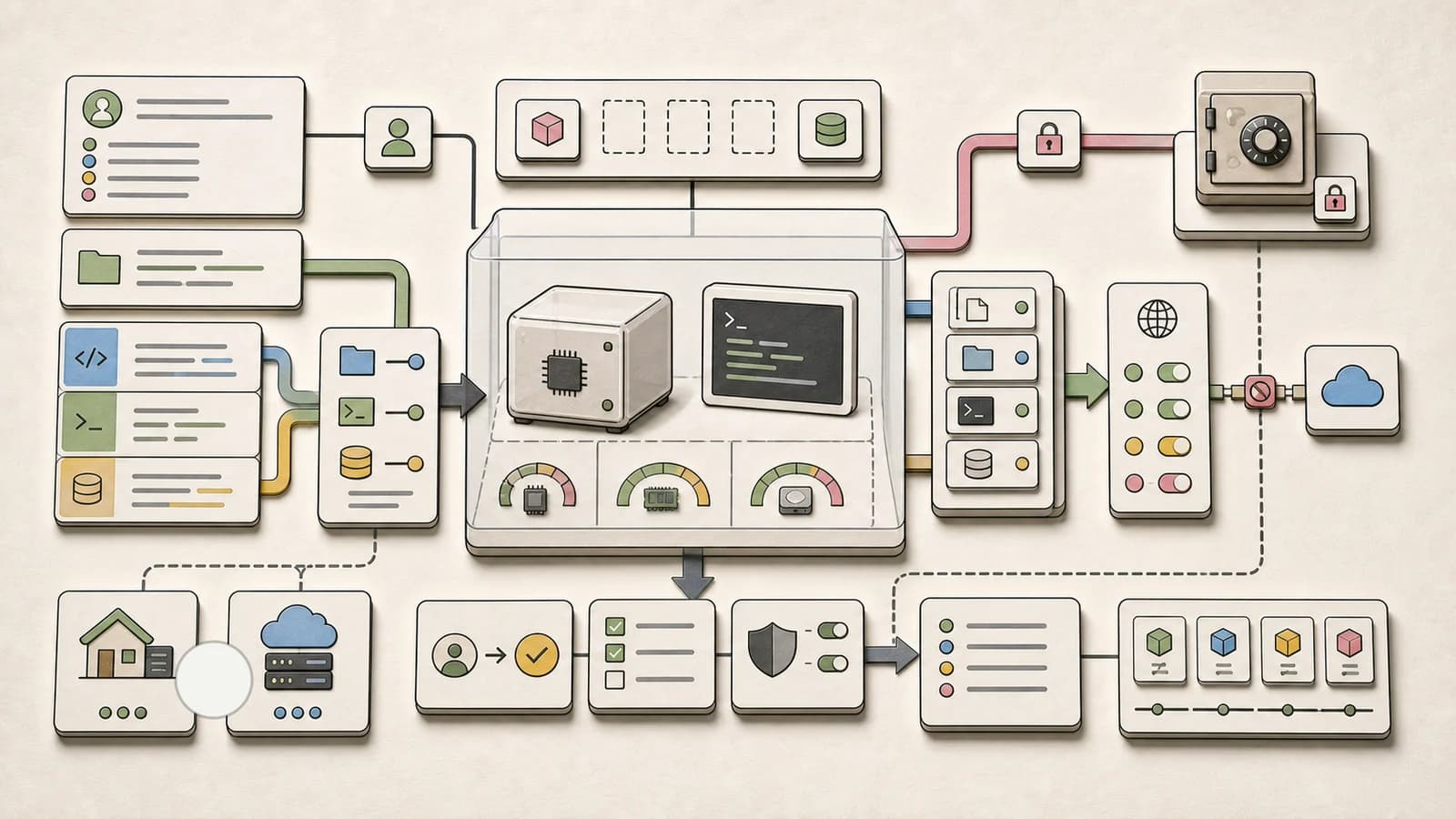
E2B runs every sandbox in its own Firecracker microVM with its own kernel, so isolation sits at the hypervisor boundary rather than the container boundary (E2B security).
State and persistence. E2B still has the deepest live-state story. A pause saves both filesystem and memory, so running processes and loaded variables survive. Pausing takes about 4 seconds per GiB of RAM, resuming about 1 second, and a paused sandbox is kept indefinitely until you kill it. Setting onTimeout: "pause" auto-pauses instead of killing, and pausing resets the continuous runtime limit (E2B persistence docs).
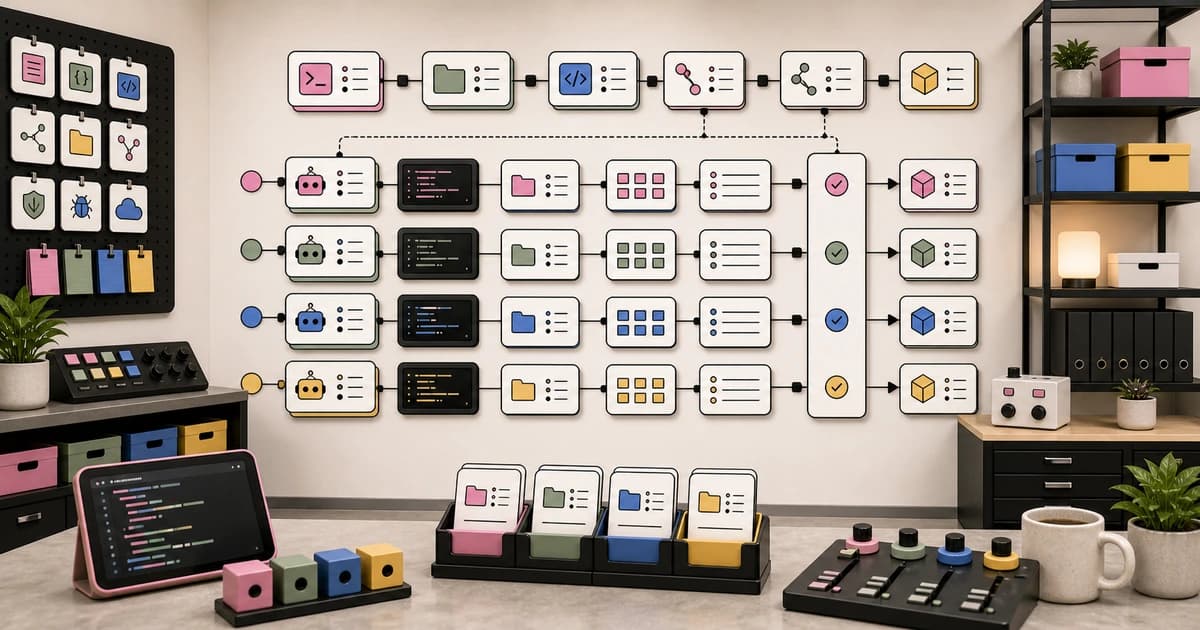
Forking. sandbox.fork() pauses the original briefly, captures filesystem and memory once, and boots each fork from that snapshot. You can request up to 20 forks per call, and the count must stay below your concurrency limit because the original keeps one slot. Each fork gets its own ID and a default timeout of 15 seconds, so pass timeoutMs for real work. During the fork, active connections to the original (WebSockets, PTYs, command streams) drop, so your client must reconnect (E2B fork docs).
Limits and pricing. Hobby is free with a one-time $100 credit, 1-hour sessions and 20 concurrent sandboxes. Pro is $150 a month plus usage, with 24-hour sessions and 100 concurrent sandboxes, expandable to 600 for $500 a month or 1,100 for $1,000 a month. Enterprise adds multi-day sessions, BYOC deployment and a $3,000 monthly minimum (E2B pricing).
Best for. Agents that branch: try three fixes from the same warm state, keep the winner, kill the rest. Nothing else here forks a running machine with its memory in one call at this fan-out.
Daytona#
Daytona describes each sandbox as a full composable computer with a dedicated kernel, filesystem and network stack, and claims creation in under 90ms (Daytona docs).
Two sandbox classes, and the difference matters. Sandboxes run as Linux containers by default. VM sandboxes (Linux VM or Windows) are a separate class, and only they support pause, fork, memory snapshots and nested virtualization. On a container sandbox, stopping keeps the filesystem but not memory, and forking is replaced by "snapshot, then create" (Daytona sandbox docs). If you read "Daytona supports fork" on a launch post, check which class you are creating.
Lifecycle. A running sandbox auto-stops after 15 minutes of inactivity unless you change the interval, and setting it to 0 lets it run indefinitely. VM sandboxes can auto-pause instead; when neither interval is set, classes that support pausing default to auto-pause after 60 minutes. Auto-archive, auto-delete and a wall-clock TTL round out the controls (Daytona sandbox docs).
GPUs. GPU sandboxes support up to 8 GPUs (H100, H200, B300, RTX PRO 6000, RTX 4090, RTX 5090, AMD MI355X). Spot GPU sandboxes run on spare capacity and can be terminated at any time with no warning (Daytona sandbox docs). An H100 lists at $3.95 an hour on-demand or $2.27 preemptible (Daytona pricing).
Pricing and SDKs. Pay as you go at the rates in the table, Windows at $0.0858 per vCPU-hour, $200 of free compute to start, up to $50K for startups, and BYOC on Enterprise (Daytona pricing). SDKs cover Python, TypeScript, Ruby, Go and Java, plus a REST API and CLI (Daytona docs).
Best for. GPU work inside the sandbox, Windows environments, or a backend written in Ruby, Go or Java.
Modal#
Modal offers sandboxes as containers defined at runtime for running untrusted user or agent code, with the same images, volumes and secrets as its functions (Modal sandbox docs).
Isolation: now two runtimes. gVisor, Google's user-space kernel, remains the default. The VM runtime, generally available since October 1, gives each sandbox its own Linux kernel for Docker stacks, FUSE filesystems and nested cgroups, and nested virtualization is available on Team and Enterprise. Switching is one parameter (Modal sandbox docs). Modal says it supports hundreds of thousands of concurrent sandboxes on either runtime, and that every Linear Coding Session now runs on a VM Sandbox (Modal blog).
State and lifetime. Sandboxes default to a 5-minute lifetime, configurable up to 24 hours, with an optional idle timeout. For longer work, Modal recommends filesystem snapshots and restoring into a new sandbox; on the VM runtime, /var/lib/docker is included in those snapshots (Modal sandbox docs). Memory snapshots, which restore running processes into a new sandbox, are still experimental: taking one currently terminates the original, they expire after 7 days, they cannot run with GPUs, and on the VM runtime they are limited to enabled customers (Modal snapshot docs).
Pricing. Starter is $0 with $30 a month of compute credit and 100 containers; Team is $250 a month with $100 credit and 5,000 containers (Modal pricing). Both runtimes share the same usage-based pricing (Modal blog).
Best for. Teams already on Modal, RL and eval fleets that need huge concurrency, and agents that need GPUs (on gVisor) or Docker (on VM), though not both in the same sandbox today.
Vercel Sandbox#
Vercel Sandbox runs each sandbox in a Firecracker microVM with its own filesystem and network, on the same internal compute platform (code-named Hive) that runs Vercel deployments (Vercel GA post).
State. Persistence is the default: a sandbox saves its filesystem when it stops and resumes from it. The 24-hour Pro limit applies to one session, not the sandbox, so a persistent sandbox's total lifetime is effectively unbounded. Snapshots expire 30 days after last use unless you change retention (Vercel Sandbox pricing). Sandbox.fork() copies the latest saved snapshot, not live memory (Vercel changelog).
What runs inside. The default image ships the current Node.js LTS, Python 3.14 and common coding agents, custom images come from Vercel Container Registry, and privileged workloads such as Docker and FUSE drivers are supported (Vercel Sandbox docs). For the network side, see our breakdown of Vercel Sandbox egress controls.
Limits. Hobby gets 10 concurrent sandboxes and 45-minute sessions; Pro and Enterprise get 10,000 and 24 hours, up to 8 vCPUs on Pro and 32 on Enterprise, and 19 regions (Vercel Sandbox pricing).
Best for. Agents that spend most of their wall-clock time waiting on a model, and anything that needs a public preview URL from the sandbox.
Cloudflare Sandboxes#
Cloudflare now offers two environments. Containers run your image as a full Linux instance, each a microVM with its own kernel and network. Dynamic Workers load untrusted JavaScript, Python or WebAssembly as a new Worker at runtime (Cloudflare Sandboxes docs).
What 1.0 changes. In 0.x, the package's Sandbox class was your Durable Object and ran an SDK server inside the container. In 1.0 you write the Durable Object, it calls the container directly, and the package shrinks to helpers such as Files, S3Mount and DirectoryBackup. The package no longer retries or sets time limits, and exec() takes an argument array without a shell, so text in an argument cannot start a second command (Changes in 1.0).
Lifetime. An instance keeps running while its Durable Object is active, then for an inactivity timeout of up to 6 hours. Code running inside the container does not count as activity, so a long build stops unless an alarm keeps it alive. Snapshots save the root filesystem but not memory or processes, and expire 30 days after creation or last restore (Cloudflare sandbox lifetime).
Security defaults. Containers start with enableInternet: false, and an outbound handler in your Worker can attach credentials after a request leaves the sandbox, so the token never sits inside it (Cloudflare sandbox security).
Best for. Teams already on Workers, Durable Objects and R2 who want one vendor and one bill, and who are happy to own lifecycle code in exchange for control.
What our own app uses#
Developers Digest runs agent jobs through one provider-neutral adapter (lib/server/sandbox in our codebase) rather than a single vendor. Here is what that code does today:
- A pool router with a fixed preference order. By default it tries a self-hosted microVM pool on our own server first, then E2B, then Vercel Sandbox. The order is an environment setting, and a backend without its credentials configured is skipped.
- Overflow only on capacity. The router moves to the next backend when one is unhealthy or fails with a rate-limit, capacity or timeout error. Any other failure, such as a bad template or an auth error, is surfaced rather than silently retried elsewhere.
- Capabilities describe our adapter, not the vendor. Only the Vercel Sandbox backend serves public preview URLs through our adapter, so preview workloads always land there, and our app builder already runs on Vercel Sandbox directly. E2B supports pause and fork, but our E2B adapter does not wire up snapshots or port publishing yet, so the router does not send those jobs to it.
- The contract is E2B-shaped. Every backend implements E2B's semantics (a command that exits non-zero throws, with stdout and stderr attached), because our callers were written against E2B first.
- An opt-in gVisor runner exists for jobs that need no network. It is not in the default order.
We do not use Modal, Daytona or Cloudflare Sandboxes today. The lesson from building the router: the cheap part is creating a sandbox; the expensive part is every place your callers quietly depend on one vendor's error shapes and lifecycle. Design for the runtime boundary first and the vendor second.
How to choose#
- Your agent branches or needs warm state. E2B: pause with memory, resume in about a second, fork into up to 20 copies.
- You need GPUs, Windows, or a non-JS/Python SDK. Daytona. Use VM sandboxes if you also need pause or fork.
- You need Docker or kernel features inside the sandbox. Modal's VM runtime or Vercel Sandbox, both of which document Docker support.
- Your agent mostly waits on the model. Vercel Sandbox or Cloudflare, which bill active CPU rather than wall-clock CPU.
- You are already deep in one platform. Stay there: Modal, Vercel and Cloudflare all sell sandboxes as part of a wider platform bill.
- You run untrusted code from end users. All five isolate below the container boundary in some mode, so the bigger risk is what you put inside: credentials, network access and outputs. Layer agent firewalls and an egress policy on top, and read how teams are turning sandboxes into a shared control plane.
FAQ#
Which sandbox is cheapest for an AI agent that mostly waits on the model?#
Usually Vercel Sandbox or Cloudflare, because both bill only the CPU your code actively uses. Vercel shows a 1 vCPU, 2 GB sandbox at 10% CPU for an hour costing about $0.055 in CPU and memory. E2B and Daytona bill per second of a running sandbox at $0.0504 per vCPU-hour, so idle time costs the same as busy time unless you pause.
Which providers can fork a running sandbox, memory included?#
E2B forks a running sandbox with filesystem and memory, up to 20 forks per call. Daytona forks with memory on VM sandboxes only. Vercel Sandbox forks from the latest saved snapshot, which does not include live memory. Modal's generally available path is filesystem snapshots restored into a new sandbox; its memory snapshots are experimental and end the original sandbox. Cloudflare snapshots restore files but not memory or running processes.
Is Modal's VM runtime better than gVisor?#
Not by default. Modal keeps gVisor as the default runtime and recommends the VM runtime when you hit userspace limits: Docker, FUSE filesystems or kernel features. GPU sandboxes still require gVisor, so a workload that needs both a GPU and Docker cannot run in one Modal sandbox today.
Do I have to migrate off Cloudflare Sandbox SDK 0.x now?#
No. 0.x applications keep running and the package stays on npm, with bug and security fixes until December 31, 2026. Cloudflare's migration guide maps every 0.x feature to 1.0 and lets you run a 1.0 class beside a 0.x class to move sandboxes one at a time.
Can I self-host any of these?#
E2B and Daytona both list BYOC deployment on their enterprise tiers. Modal, Vercel Sandbox and Cloudflare are managed services tied to their platforms. Vercel has open-sourced its Sandbox SDK and CLI, not the underlying infrastructure.
Sources#
- E2B Pricing
- E2B Security
- E2B Sandbox Persistence
- E2B Sandbox Forking
- Daytona Documentation
- Daytona Sandboxes (VM sandboxes, pause, fork, lifecycle, GPU)
- Daytona Pricing
- Daytona Changelog
- Modal: VM Sandboxes, Full computers for agents (October 1, 2026)
- Modal Sandboxes Guide
- Modal Sandbox Snapshots
- Modal Pricing
- Vercel Sandbox Documentation
- Vercel Sandbox Pricing and Quotas
- Vercel Sandbox GA Announcement
- Vercel Sandbox Supports Forking
- Cloudflare Sandboxes Overview
- Cloudflare Sandbox SDK 1.0 Changelog (September 30, 2026)
- Changes in Cloudflare Sandbox SDK 1.0
- Cloudflare Sandbox Lifetime
- Cloudflare Sandbox Security
- Cloudflare Containers Pricing
Continue Reading#
- AI Agent Code Sandboxes Compared - every sandbox's isolation, limits, egress controls and pricing in its own unit, each value linked to its source
- Agent Sandbox Architecture: How to Choose the Right Runtime Boundary - designing the execution boundary before you pick a vendor
- Vercel Sandbox Gets a Real Network Boundary - why egress control is the other half of sandbox security
- AI Coding Agent Firewalls and Security Layers Compared - what sits in front of the sandbox: hooks, allowlists and proxies
- AI Coding Agent Security Models Compared - how the major coding agents handle permissions and isolation natively
- Sandboxed Agents Are Becoming the Team Control Plane - where shared sandboxes are taking team workflows
- AI Agent Auth Platforms Comparison - the credential layer your sandboxed agents will need
Get the next comparison like this in your inbox
One email a week on AI Agents and the rest of the AI dev stack. Free.
Read next on AI coding tools
Agent Sandbox Architecture: How to Choose the Right Runtime Boundary
Agent sandbox architecture: how to pick a runtime boundary: filesystem isolation, network policy, secrets, snapshots and when shell access is overkill.
8 min readVercel Sandbox Gets a Real Network Boundary: Why Egress Control Is the Missing Half of Agent Security
Vercel Sandbox egress control polices outbound traffic on the host with domain policies, CIDR rules, credential injection and deny-all by default.
6 min readAI Coding Agent Firewalls and Security Layers Compared 2026
AI coding agent firewalls compared: Belay, Claude Code hooks, Codex CLI sandboxes and MCP proxies vs destructive commands, secret leaks and prompt injection.
9 min readNew here? Start with
Technical content at the intersection of AI and development. Building with AI agents, Claude Code, and modern dev tools - then showing you exactly how it works.