Vercel AI SDK 6 vs LangGraph 1.0: Which Agent Framework Should TypeScript Teams Use?
TL;DR
AI SDK 6 ships ToolLoopAgent and full MCP support. LangGraph hits 1.0 GA with durable state and built-in interrupt/resume.
Two agent frameworks reached major milestones within months of each other, and they approach the same problem from opposite directions. Vercel AI SDK 6, released December 22, 2025, added a formal ToolLoopAgent class, full MCP support, and tool execution approval to a framework that already had 20 million monthly downloads. LangGraph 1.0, released October 22, 2025, became the first stable major release in the durable agent framework space after more than a year of production use at companies like Uber, LinkedIn, and Klarna.
The SERP for "vercel ai sdk 6 vs langgraph typescript agents" is empty. This post fills that gap with a direct comparison grounded in both frameworks' official release notes.
Last updated: June 10, 2026
Why This Comparison Is Urgent#
Before these releases, TypeScript teams building agents were comparing a moving target (AI SDK 5.x) against an unstable pre-1.0 LangGraph. That changed in Q4 2025. Both frameworks now carry stability guarantees - AI SDK 6 is the first release to ship a first-class Agent abstraction, and LangGraph 1.0 commits to no breaking changes until 2.0.
The timing forces a real decision. Teams starting new agentic projects today can commit to either without worrying about churn. The question is which model fits your use case.
For broader context on where these fit in the current landscape, see AI Agent Frameworks Compared. See the tool pages for Vercel AI SDK and LangChain for the current package versions and docs links.
Architecture Differences#
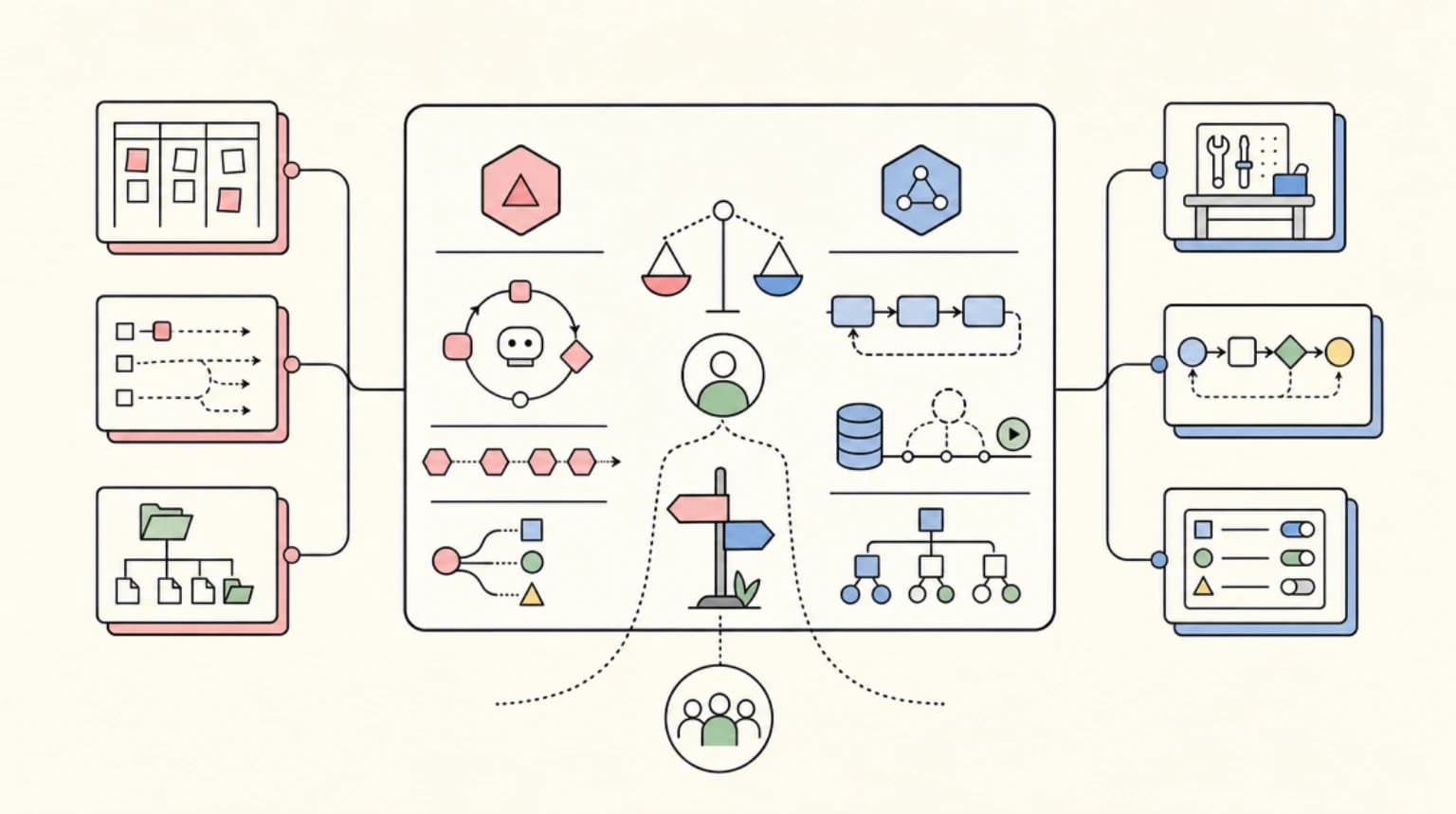
The fundamental split is between a linear tool loop and a programmable state machine.
AI SDK 6 centers on ToolLoopAgent, a class that handles the complete agentic loop: call the model, execute tool calls, feed results back, repeat. The loop runs for up to 20 steps by default (stopWhen: stepCountIs(20)). You define the agent once with a model, instructions, and tools, then call .generate() or .stream() wherever you need it. The abstraction is intentionally shallow - the agent does one thing well and stays out of your way.
import { ToolLoopAgent } from 'ai';

export const researchAgent = new ToolLoopAgent({
  model: 'anthropic/claude-sonnet-4.5',
  instructions: 'You are a research assistant.',
  tools: { search: searchTool, summarize: summarizeTool },
});
LangGraph 1.0 models agents as directed graphs where nodes are processing steps and edges are transitions. State persists between nodes through a typed state object. This lets you express workflows that mix deterministic logic (always run step A before step B) with agentic decisions (let the model choose whether to call step C). The graph is compiled before execution, which opens the door to static analysis, interrupts at specific nodes, and external checkpoint stores.
The LangGraph 1.0 blog post describes this as "lower level...useful for highly custom and controllable agents, designed to support production-grade, long running agents."
| Dimension | AI SDK 6 ToolLoopAgent | LangGraph 1.0 |
|---|---|---|
| Mental model | Tool execution loop | Directed graph with typed state |
| Default behavior | Run until done (20 steps max) | Run until graph terminates |
| State between steps | Conversation messages | Typed state object (user-defined schema) |
| Branching | Not built in | First-class edges and conditionals |
| TypeScript support | Native, first-class | Available via @langchain/langgraph |
| Primary audience | TypeScript / Next.js teams | Python-first, TypeScript available |
Human-in-the-Loop Patterns#
Both frameworks support human approval, but they implement it differently.
AI SDK 6 adds a needsApproval flag on individual tools. Set it to true and the UI receives an approval-requested state that you render as an approve/deny prompt. You can also pass a function to make approval conditional on the input - for example, requiring approval only when a command includes rm -rf. The addToolApprovalResponse function on useChat closes the loop. The pattern is zero-config for simple cases and composable for complex ones.
export const deleteFiles = tool({
  description: 'Delete files from disk',
  inputSchema: z.object({ path: z.string() }),
  needsApproval: async ({ path }) => path.includes('/'),
  execute: async ({ path }) => { /* ... */ },
});
LangGraph 1.0 implements interrupt/resume at the graph level. You can pause execution at any node, serialize the full graph state to a checkpoint store, resume later with a human response injected into state, and continue exactly where the workflow left off. This is the right model when approval is one step in a longer workflow that might span hours or days - the full execution context is preserved across restarts.
The AI SDK 6 approach is simpler to wire into a React UI. The LangGraph approach is more powerful when approval is embedded in durable multi-step workflows.
MCP Support#
AI SDK 6 ships full Model Context Protocol support as a first-class feature. MCP servers connect as tool sources, and MCP tool calls participate in the same approval and strict-mode system as native tools. Clay's Claygent - a production AI web research agent - uses AI SDK's MCP integration to connect first-party data sources at scale, according to the AI SDK 6 release post.
LangGraph has MCP integration available but the maturity level differs. The Python ecosystem has more MCP tooling, and the TypeScript LangGraph bindings (@langchain/langgraph) lag the Python SDK on some features. If MCP server connectivity is a core requirement and you are building in TypeScript, AI SDK 6 has the cleaner path today.
State Persistence and Durability#
This is where the two frameworks diverge most sharply.
LangGraph 1.0 was built around durability from the start. The checkpointing system serializes full graph state after every node. If your server restarts mid-workflow, execution resumes from the last checkpoint. This enables multi-day approval flows, background jobs that run across sessions, and workflows where individual steps may fail and need to retry. The LangGraph changelog describes it as "save and resume agent workflows at any point without writing custom database logic."
AI SDK 6 treats persistence as an application concern. ToolLoopAgent manages the conversation within a single execution context. Long-running or resumable workflows need external infrastructure - a database for session state, a queue for retries, or a third-party durable execution layer. Vercel's own ecosystem (edge functions, KV, queues) provides some of this, but it is not automatic. The Workflow DevKit integration mentioned in the AI SDK 6 release offers a DurableAgent implementation built on the Agent interface, which shows the path but requires an additional dependency.
If your agents need to survive server restarts, span multiple sessions, or support async approval workflows measured in hours rather than seconds, LangGraph's built-in checkpointing is a real structural advantage.
Production Track Record#
LangGraph 1.0 reached GA after production use at Uber, LinkedIn, Klarna, JP Morgan, Blackrock, and Cisco, according to the LangGraph 1.0 announcement. The LangChain team reports 90 million monthly downloads across the LangChain ecosystem. These are enterprise workloads where durability and observability matter.
AI SDK 6 cites Thomson Reuters building CoCounsel (an AI assistant for attorneys and accountants) with 3 developers in 2 months, now serving 1,300 accounting firms, according to the AI SDK 6 release post. Clay built Claygent, their production AI web research agent, on AI SDK. The framework's 20 million monthly downloads reflect broad adoption at the product layer rather than the enterprise workflow layer.
The pattern: LangGraph appears in complex internal enterprise workflows and long-running automations. AI SDK appears in user-facing product features and customer-facing AI assistants.
Migration Path#
AI SDK 5 to 6 ships an automated codemod. Run npx @ai-sdk/codemod v6 and most of the mechanical changes happen automatically, per the AI SDK 6 migration guide. The Agent abstraction is additive - existing generateText and streamText code continues to work unchanged.
LangGraph 1.0 maintains full backward compatibility from previous versions. The one notable deprecation is the langgraph.prebuilt module - create_react_agent moves to langchain.agents.create_agent. Teams running LangGraph 0.x can upgrade without rewriting workflows.
If you are already on AI SDK 5, the upgrade path to 6 is well-tooled and low-risk. If you are evaluating LangGraph for the first time, 1.0 is a stable starting point with a documented migration story to future versions.
Decision Framework#
The right choice depends on three questions: how complex is your workflow, does durability matter, and what is your team's primary language?
| Use case | Recommended framework |
|---|---|
| Next.js chatbot with tool calls | AI SDK 6 |
| User-facing AI feature with approval UI | AI SDK 6 |
| MCP-connected TypeScript agent | AI SDK 6 |
| Short-lived background agent (under 5 minutes) | Either |
| Long-running workflow with multi-day approvals | LangGraph 1.0 |
| Workflow with deterministic + agentic steps mixed | LangGraph 1.0 |
| Python-first team adopting TypeScript gradually | LangGraph 1.0 |
| Enterprise process automation with audit trail | LangGraph 1.0 |
The clearest signal is durability. If your agent needs to survive a deploy, wait for a human response that arrives tomorrow, or resume after an error in step 7 of 12, build on LangGraph. The checkpointing system is not something you add later - it requires graph-based state from the start.
If your agents are request-scoped - they start when a user submits a prompt and finish within that same request context - AI SDK 6's ToolLoopAgent is faster to build, easier to test, and fits naturally in the Next.js App Router model that most TypeScript teams already know.
For teams building complex agent-based products and not yet committed to either framework, consider evaluating additional TypeScript-native durable agent options alongside these two, including Mastra, which targets similar durable-agent territory for TypeScript teams.
Both frameworks have reached a stability level where the choice will stick. Neither is going to break your code next quarter. The decision is architectural, not tactical.
FAQ#
Can I use Vercel AI SDK 6 and LangGraph together?#
Yes, though it is uncommon. Some teams use AI SDK 6's ToolLoopAgent for the request-scoped, user-facing part of a product and LangGraph for a separate durable backend workflow that needs multi-day checkpointing. Most teams pick one as their primary framework rather than mixing both in the same agent.
Which framework has better MCP support today?#
AI SDK 6 has the more mature TypeScript path for Model Context Protocol connectivity. LangGraph's MCP integration exists, but the Python ecosystem is ahead of the TypeScript bindings on some features.
Does LangGraph 1.0 require Python?#
No. LangGraph is available for TypeScript via @langchain/langgraph, but the ecosystem is still Python-first, and some newer features land in Python before TypeScript.
What is the single clearest signal for choosing between them?#
Durability. If your agent needs to survive a deploy, wait on a human response that arrives tomorrow, or resume mid-workflow after a failure, build on LangGraph's checkpointing. If your agents are request-scoped and finish within one session, AI SDK 6's ToolLoopAgent is faster to build and test.
Official Sources#
| Resource | Link |
|---|---|
| AI SDK 6 release announcement | vercel.com/blog/ai-sdk-6 |
| AI SDK 6 migration guide | ai-sdk.dev/docs/migration-guides/migration-guide-6-0 |
| AI SDK agents documentation | ai-sdk.dev/docs/agents |
| LangGraph 1.0 GA changelog | changelog.langchain.com |
| LangGraph 1.0 blog post | blog.langchain.com |
| LangGraph npm package | @langchain/langgraph |
| AI SDK npm package | ai |
Continue Reading#
- AI Agent Frameworks Compared - LangGraph, CrewAI, Mastra, CopilotKit, AutoGen and Claude Code side by side
- Build an AI Agent Web App with LangGraph and CopilotKit
- Composio 101: Give Your AI Agent Access to 500+ Apps
Get the next comparison like this in your inbox
One email a week on TypeScript and the rest of the AI dev stack. Free.
Read next on AI coding tools
LangChain vs Vercel AI SDK: Which TypeScript AI Framework Should You Use?
Two popular frameworks for building AI apps in TypeScript. Here is when to use each and why most Next.js developers should start with the AI SDK.
5 min readVercel's Agentic Infrastructure Stack Explained
Vercel just declared the agent stack: AI Gateway, Sandbox, Flags, and Microfrontends. Here is how the four primitives compose, with code, and where each one actually fits in a real product.
12 min readThe TypeScript AI Agent Stack in Mid-2026: Mastra vs Vercel AI SDK vs OpenAI Agents SDK vs LangGraph.js
Four mature, production-ready TypeScript frameworks have made building agents genuinely enjoyable. Here is how to pick the right one - and how they fit together.
10 min readNew here? Start with
Technical content at the intersection of AI and development. Building with AI agents, Claude Code, and modern dev tools - then showing you exactly how it works.