Vercel AI SDK 7: The Production Agent Upgrade
TL;DR
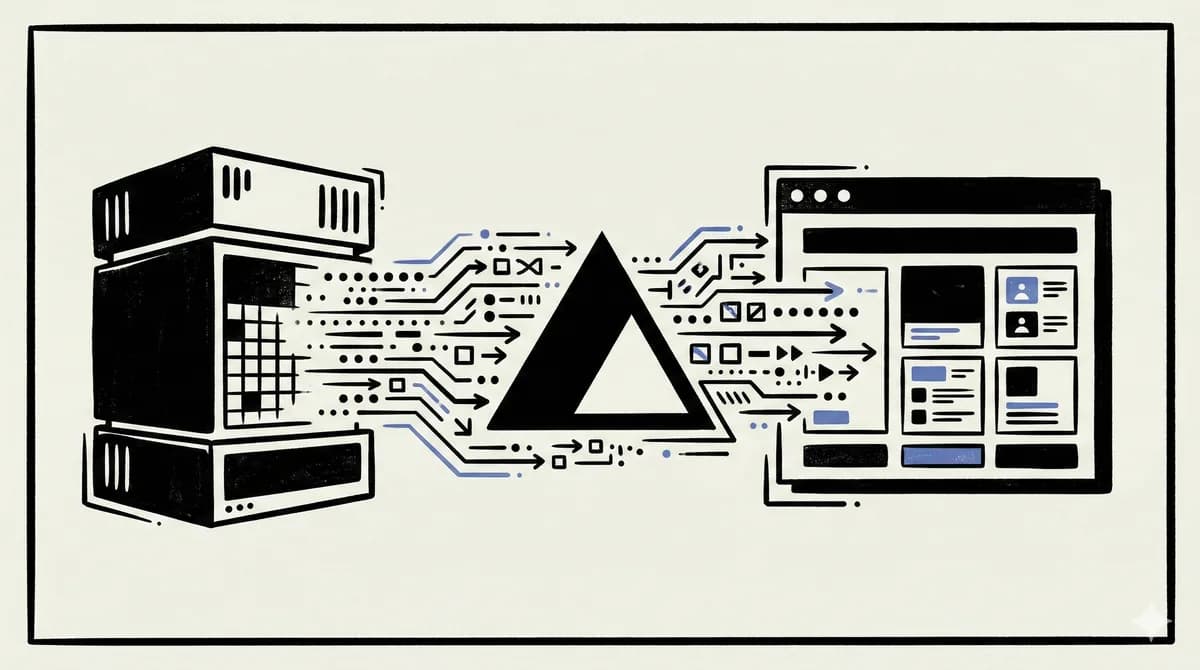
AI SDK 7 turns Vercel's TypeScript AI layer into a more serious agent runtime: typed tool context, WorkflowAgent durability, approvals, telemetry, realtime voice, and a cleaner migration path from AI SDK 6.
Last updated: June 28, 2026
| Official Sources | |
|---|---|
| AI SDK 7 launch post | Release overview, agent features, migration command |
| AI SDK docs | Current SDK reference |
| AI SDK 7 migration guide | Breaking changes and context migration |
| WorkflowAgent docs | Durable agent execution |
| Introducing eve | Vercel's open-source agent framework built on the SDK layer |
AI SDK 7 is not just a chat SDK release#
Vercel shipped AI SDK 7 on June 25, 2026, and the interesting part is not another hook for a chat box. The useful read is simpler: Vercel is moving the AI SDK from "stream tokens in a React app" toward "run agents with typed context, approvals, durable steps, telemetry, realtime sessions, and migration tooling."
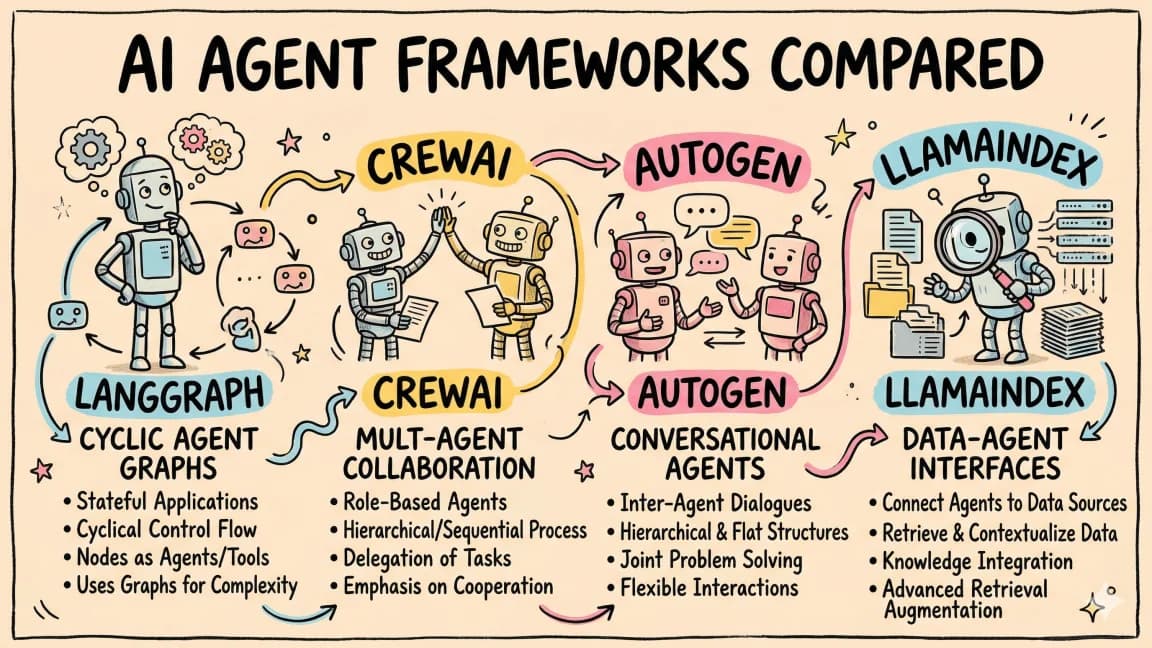
That matters because the TypeScript agent market is crowded now. You can build with LangGraph, Mastra, eve, OpenAI's Agents SDK, or a direct model loop. The AI SDK 7 question is not "can it call a model?" Everyone can. The question is whether it gives product teams enough runtime structure to keep a model loop alive after the demo.
My take: AI SDK 7 is strongest when you already want a TypeScript-first application layer and you want agent primitives without adopting a full graph framework. It is weaker if your core problem is multi-hour orchestration, language-agnostic workflows, or deeply stateful agent planning. For that, keep comparing it against durable agent frameworks instead of treating the SDK as a complete platform by default.
The five changes that matter#
The launch post lists a large surface area: reasoning control, tool context, runtime context, provider files, skills, MCP Apps, terminal UI, approvals, durability, timeouts, sandbox support, telemetry, lifecycle events, realtime voice, and video generation. That is a lot of product nouns. For developers, five changes matter most.
First, tool context is now explicit and typed. Instead of passing one loose bag of hidden values into every tool, each tool can define its own contextSchema, and the caller passes matching values through toolsContext. This is the right shape for production. A customer lookup tool should not see the weather API key. A billing tool should not see the Slack token.
Second, runtime context is separate from tool context. Shared request data such as tenantId, requestId, plan tier, region, or current workflow state can live in runtimeContext, while tool-private secrets stay scoped to the tool that needs them.
Third, WorkflowAgent gives Vercel a durability story. The docs frame it around serializable runtime state and workflow-compatible execution. That is exactly where simple model loops break: the user closes the tab, the deployment rolls, the function times out, or the agent needs to wait for approval.
Fourth, approvals and telemetry move closer to the agent loop. Approvals are not just a UI feature. They are the difference between "the model can call a tool" and "the model can request a risky action under a policy." Telemetry is the difference between reading logs after an incident and replaying what happened turn by turn.
Fifth, realtime support is becoming provider-agnostic. AI SDK 7 adds experimental realtime primitives for browser WebSocket sessions, ephemeral tokens, audio transcription, and client-driven tool calls across OpenAI, Google, and xAI provider implementations. That is early, but it points to the same thesis as the rest of the release: normalize provider differences before they leak into every product surface.
The migration is really about context boundaries#
The most important migration is from experimental_context to a split model: tool-specific context plus shared runtimeContext.
The old pattern was convenient but too broad:
const weather = tool({
  inputSchema: z.object({
    location: z.string(),
  }),
  execute: async ({ location }, { experimental_context }) => {
    const { weatherApiKey } = experimental_context as {
      weatherApiKey: string;
    };

    return getWeather(location, weatherApiKey);
  },
});
AI SDK 7 makes the boundary visible:
const weather = tool({
  inputSchema: z.object({
    location: z.string(),
  }),
  contextSchema: z.object({
    apiKey: z.string(),
  }),
  execute: async ({ location }, { context: { apiKey } }) => {
    return getWeather(location, apiKey);
  },
});

const result = await generateText({
  model,
  tools: { weather },
  prompt: "Will it rain in Toronto tomorrow?",
  runtimeContext: {
    requestId: "req_123",
    tenantId: "tenant_456",
  },
  toolsContext: {
    weather: {
      apiKey: process.env.WEATHER_API_KEY!,
    },
  },
});
That looks like boilerplate until you connect it to agent security. A tool schema validates model-supplied input. A context schema validates developer-supplied runtime data. Keeping those worlds separate reduces accidental authority leakage. It does not solve prompt injection, but it gives you a cleaner place to enforce boundaries.
Where WorkflowAgent fits#
WorkflowAgent is the part to watch if you care about production agents rather than chat widgets. The current docs show it carrying runtimeContext, toolsContext, and per-step logic in a workflow-compatible shape:
import { WorkflowAgent } from "@ai-sdk/workflow";
import { tool } from "ai";
import { z } from "zod";

const agent = new WorkflowAgent({
  model: "anthropic/claude-sonnet-4-6",
  tools: {
    customerLookup: tool({
      description: "Look up a customer account",
      inputSchema: z.object({
        customerId: z.string(),
      }),
      contextSchema: z.object({
        region: z.enum(["us", "eu"]),
      }),
      execute: async ({ customerId }, { context }) => {
        return lookupCustomer(customerId, context.region);
      },
    }),
  },
  runtimeContext: {
    tenantId: "tenant_123",
    requestId: "req_abc",
    plan: "enterprise",
  },
  toolsContext: {
    customerLookup: { region: "us" },
  },
  prepareStep: ({ runtimeContext }) => {
    if (runtimeContext.plan === "enterprise") {
      return { temperature: 0.2 };
    }
    return {};
  },
});
The architectural bet is obvious: the agent object should carry enough typed state to make each turn reproducible, inspectable, and resumable. That aligns with Vercel's broader agentic infrastructure stack: gateway, sandbox, workflows, observability, and application UI under one platform umbrella.
If you are already building on Next.js, this is compelling. If you are deploying agents across Python services, queues, data pipelines, and non-Vercel infrastructure, treat it as a good SDK layer, not an automatic orchestration standard.
Telemetry should be selective by default#
AI SDK 7 also documents selective telemetry for runtime and tool context. This is a small feature with a big operational implication.
const result = await agent.generate({
  prompt: "Check whether this customer is eligible for priority support.",
  runtimeContext: {
    requestId: "req_abc",
    tenantId: "tenant_123",
    userId: "user_123",
  },
  telemetry: {
    includeRuntimeContext: {
      requestId: true,
    },
    includeToolsContext: {
      customerLookup: {
        region: true,
      },
    },
  },
  toolsContext: {
    customerLookup: {
      apiKey: process.env.CUSTOMER_API_KEY!,
      region: "us",
    },
  },
});
This is the right default posture: logs need enough context to debug a run, but not every tenant ID, user ID, or secret-adjacent value. If you are building an agent that touches customer data, make telemetry allowlists part of the implementation checklist. Do not add observability after the first weird tool call.
The opposite view: AI SDK 7 may still be too platform-shaped#
There is a fair criticism here. AI SDK 7 makes Vercel's stack more coherent, but coherence can become gravity. If the best experience assumes AI Gateway, Vercel Workflows, Vercel Sandbox, Vercel Observability, and Next.js, teams may drift into a platform decision before they have made an architecture decision.
That does not make the release bad. It means you should choose deliberately.
Use AI SDK 7 when:
- Your app is TypeScript-first.
- You already use Next.js or Vercel.
- You want streaming UI and agent loops in the same codebase.
- Your tools need typed context boundaries.
- Your agents are product features, not a separate distributed workflow system.
Reach for LangGraph, Mastra, Temporal, or another durable workflow layer when:
- Runs last minutes to hours.
- State transitions matter more than token streaming.
- You need language-agnostic orchestration.
- You need explicit graph inspection and replay as the central abstraction.
- Your infrastructure cannot depend on Vercel-managed runtime pieces.
This is the same decision boundary from Vercel AI SDK vs LangGraph, but AI SDK 7 moves the line. The SDK now covers more of the middle. It still does not erase the need for a workflow engine when workflows are the product.
Search and demand notes#
I attempted a Google Trends check for the AI SDK 7 lane during this run, but the local environment did not have pytrends installed, and no reliable Trends rows were available. I am not going to invent relative interest numbers.
The demand case is still strong enough to publish because the topic has:
- A fresh primary-source release dated June 25, 2026.
- Clear duplicate-safe differentiation from the existing AI SDK guide.
- Strong internal topical fit with eve, agentic infrastructure, and TypeScript agent architecture.
- Durable search intent around
AI SDK 7,Vercel AI SDK migration,WorkflowAgent, andTypeScript agents.
The launch chatter will fade. The migration and architecture queries will not.
FAQ#
What is new in Vercel AI SDK 7?#
AI SDK 7 adds production-oriented agent features: reasoning control, typed tool context, runtime context, WorkflowAgent durability, approvals, telemetry, lifecycle events, realtime voice support, video generation, MCP Apps, skills support, and migration tooling from AI SDK 6.
Should I migrate from AI SDK 6 to AI SDK 7 immediately?#
Migrate quickly if you rely on tool context, agent loops, approvals, or telemetry. If your app only streams text into a chat UI and is stable, schedule the migration deliberately and run the official codemod plus your own regression tests.
Is AI SDK 7 a replacement for LangGraph?#
Not fully. AI SDK 7 is stronger for TypeScript product apps that need model calls, tools, streaming UI, and moderate agent runtime structure. LangGraph is still a better fit when graph state, long-running orchestration, and explicit workflow inspection are the core of the system.
What is WorkflowAgent?#
WorkflowAgent is AI SDK 7's durable agent primitive. It lets an agent carry typed runtime context, per-tool context, tools, and step preparation logic in a workflow-compatible form so runs can be made more resilient and inspectable.
Does AI SDK 7 solve agent security?#
No. It improves the shape of agent security by separating model-supplied tool input from developer-supplied tool context and shared runtime context. You still need tool allowlists, approval gates, prompt-injection defenses, logging policy, and rollback paths.
Sources#
- Vercel: AI SDK 7, fetched June 28, 2026.
- Vercel AI SDK documentation, checked through Context7 on June 28, 2026.
- AI SDK 7 migration guide, checked through Context7 on June 28, 2026.
- WorkflowAgent documentation, checked through Context7 on June 28, 2026.
- Vercel: Introducing eve, fetched June 28, 2026.
- Google Trends: attempted during automation run on June 28, 2026; no reliable local Trends rows were available, so no Trends numbers are cited.
Get the next deep dive like this in your inbox
One email a week on Vercel AI SDK and the rest of the AI dev stack. Free.
Read next on AI coding tools
Vercel AI SDK: Build Streaming AI Apps in TypeScript
The AI SDK is the fastest way to add streaming AI responses to your Next.js app. Here is how to use it with Claude, GPT, and open source models.
5 min readVercel eve: The Framework for Building AI Agents
Vercel launched eve at Ship 26, an open-source agent framework it calls Next.js for agents. You define each agent as files under an agent/ directory, and eve compiles it into a production app on Vercel Functions with durable execution, sandboxes, approvals, subagents, and evals built in.
9 min readVercel's Agentic Infrastructure Stack Explained
Vercel just declared the agent stack: AI Gateway, Sandbox, Flags, and Microfrontends. Here is how the four primitives compose, with code, and where each one actually fits in a real product.
12 min readNew here? Start with
Technical content at the intersection of AI and development. Building with AI agents, Claude Code, and modern dev tools - then showing you exactly how it works.